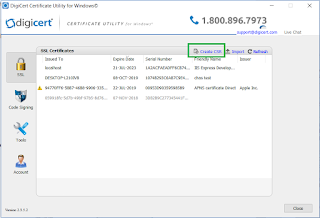
There could be various scenarios where it is required to use a custom domain for our Dynamics portals instead of the out-of-box Microsoft hosted domain i.e. *.microsoftcrmportals.com. Considering this requirement, Microsoft provided a feature in portal management to set up Custom Domain with SSL certifications Before we get into the details, we have couple of pre-requisites. Licensed Organization Dynamics account is required. We will not be able to use custom domain for a trial version. Custom Domain and SSL Certificate. Assuming you have the first pre-req covered, we can buy a custom domain and an SSL certificate is generated by the vendor who provided the custom domain. But for SSL, we need to provide the vendor a .CSR file. So how do we generate the .CSR file? Below are simple steps to follow. Download the popular DigiCertUtil from here . Choose option Create CSR, provide the needful information and click on Generate. Note that certificate t...

Comments
Post a Comment